
Why Bet9ja App Won't Open and How to Fix It
Trouble opening your Bet9ja app? 📱 Check your network, update or reinstall, clear cache, and verify settings. Quick fixes to keep your ₦ action live! ⚽🎰
Edited By
Tunde Alabi
Bet9ja has become a popular platform for sports betting and virtual games in Nigeria, but users sometimes face the frustration of games not loading properly. This issue disrupts the betting flow and may lead to missed opportunities. Understanding why Bet9ja games fail to load is key to smoothing your betting experience and reducing downtime.
Several factors affect how the Bet9ja game loads on your device. First, network connectivity is often the main culprit. A slow or unstable internet connection, especially common in areas with patchy network coverage, interrupts data exchange between your device and Bet9ja’s servers. Even a brief drop in signal can cause loading failure.
Secondly, outdated app versions or browser caches can cause glitches. Bet9ja continually updates its app to improve performance and security. Using an old version could prevent games from launching correctly. Similarly, accumulated cache and cookies might interfere with browser-based Bet9ja platforms.
Your device’s performance and settings also play a role. Running too many background apps, low memory space, or insufficient processing power can slow down game loading. Many Nigerian users with mid-range smartphones can face this issue, especially when juggling several apps.
Compatibility between the device’s operating system and the Bet9ja app influences loading too. For instance, older Android or iOS versions may not support the latest app features, leading to freezes or failure to start games.
A stable internet connection combined with updated software offers the best chance of smooth, uninterrupted gameplay on Bet9ja.
To sum up, the main areas to check when Bet9ja games won’t load include your internet connection, app/browser version, device performance, and compatibility. Keeping these factors in balance helps you avoid the common hang-ups that spoil your betting spree.
Next, we’ll look at practical steps you can take to fix these problems and get your game back on track.
Understanding why Bet9ja games fail to load is key to resolving interruptions quickly. When games stall or refuse to start, it usually traces back to common factors that users can check and fix. Knowing these reasons helps you avoid unnecessary frustration and keeps your betting experience smooth and uninterrupted.
Unstable internet connection is a frequent culprit. If your connection drops or fluctuates, Bet9ja struggles to maintain the constant data flow needed to load games. For instance, when using mobile data in areas with weak network coverage, game loading becomes sluggish or halts completely. This can be especially true in Lagos or Abuja during peak hours when networks are congested.
Data speed limitations also affect loading times. Even if your connection is stable, slow data speeds will limit how fast Bet9ja content loads. Cheap or heavily capped data plans might throttle speeds once you reach a threshold, leading to lag or failure to start games. So, even in places with 4G coverage, poor speed often causes problems.
Network restrictions or firewalls at workplaces, public Wi-Fi spots, or within your home network can block access to Bet9ja servers. Some organisations restrict gambling sites, while certain firewall settings might mistakenly flag Bet9ja content as suspicious. If you frequently play from a corporate environment or a shared internet location, network rules might be why your games won’t load.
Using outdated Bet9ja app versions can cause loading failures since older app releases might not support the latest games or server protocols. Developers update the app regularly to fix bugs and improve performance. Running a version released several months ago could mean incompatibility with current Bet9ja services.
Similarly, unsupported browsers or incorrect browser settings impact game access. Bet9ja functions best on browsers updated to the latest versions, such as Google Chrome or Mozilla Firefox. Certain privacy features, ad blockers, or disabled JavaScript can interfere with game load. Moreover, using less common browsers might lead to unexpected glitches.
Devices with low RAM or limited processing power can struggle to load games efficiently. For example, if you use older smartphones or budget tokunbo phones with limited memory, running resource-heavy Bet9ja games will slow down or fail entirely. The device can’t handle the graphics and background processes needed.
Insufficient storage space is another factor. When your phone or tablet is nearly full, apps, including Bet9ja, can’t function effectively. The operating system struggles to allocate temporary storage for caching game data, causing delays or crashes during loading.
Finally, background apps affecting performance play a role. If you have multiple apps running—music streaming, social media, or messaging—these consume RAM and CPU cycles, leaving fewer resources for Bet9ja. Closing unnecessary apps often improves game loading speed and stability.
Pinpointing these common reasons puts you in control to fix Bet9ja loading issues rather than waiting for problems to resolve on their own.
Understanding network factors, keeping apps updated, and managing your device well will prevent most game loading frustrations.
Fixing Bet9ja game loading issues on mobile devices is one of the fastest ways to get back to seamless betting, especially because many Nigerians rely on phones for gaming. Mobile devices face unique challenges like fluctuating network signals, storage limitations, and app-related glitches. Understanding practical steps to resolve these problems can save you stress and keep your bets live.
Switching between Wi-Fi and mobile data can reveal whether the issue is from your internet service. For instance, if your Bet9ja game stalls on your home Wi-Fi, switching to mobile data (using 4G or 5G) might restore it instantly. This simple switch often fixes loading problems caused by network congestion or weak Wi-Fi signals.
Restarting your modem or router refreshes your network connection and clears minor glitches your Internet Service Provider (ISP) or equipment might be facing. If your Bet9ja app struggles to load games while connected to Wi-Fi, turning off your router for 10 seconds and turning it back on can improve connection speed and stability.
Using reliable Nigerian ISPs matters. ISPs like MainOne, MTN, and Spectranet typically offer more stable connections compared to smaller providers. Network quality affects how quickly your game loads. So, investing in a dependable ISP can reduce game loading failures, especially in busy cities like Lagos or Abuja during high traffic periods.
Downloading the latest app version ensures your Bet9ja experience matches the developer's improvements and bug fixes. Updates often patch vulnerabilities that cause the app to freeze or crash during game loading. Always check the Google Play Store or official Bet9ja site for new releases.
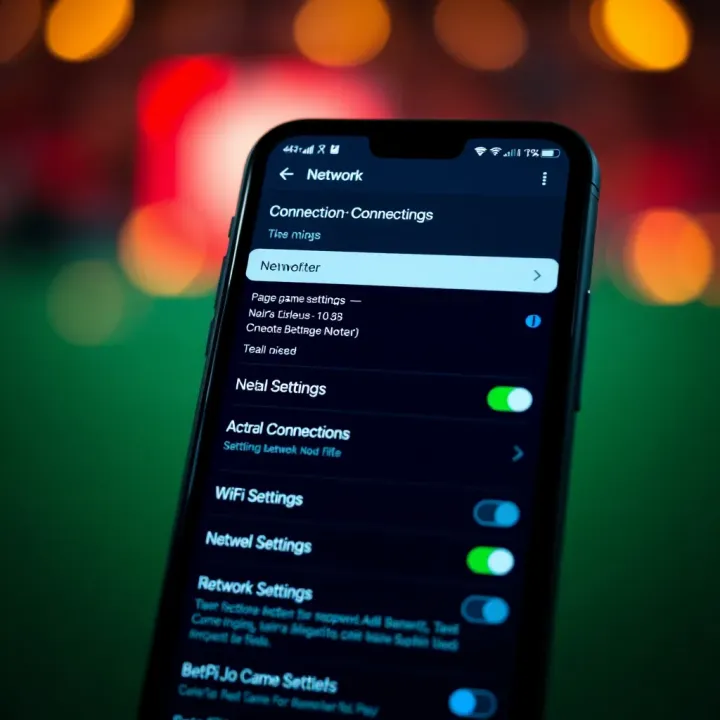
Clearing app cache and data removes stored temporary files that might slow down or corrupt game loading processes. For example, if your Bet9ja app starts acting up after several days of use, clearing cache through your phone’s settings can speed it up without losing your account information.
Reinstalling the app properly is a surefire way to fix persistent issues. Uninstall Bet9ja completely, then download fresh from a trusted source. This step fixes damaged files or unstable installations that might prevent games from loading fully.
Closing unnecessary background apps frees up RAM and processing power. Mobile phones running multiple apps like WhatsApp, MTN data tracker, or social media simultaneously can slow down Bet9ja. Closing them boosts your phone’s capacity to run games smoothly.
Freeing up storage space is important because low storage leads to slow app performance and difficulties downloading game data. For instance, regularly deleting unused videos, apps, or photos helps Bet9ja function better.
Restarting your phone is a quick fix to refresh system resources and close hidden background processes affecting your Bet9ja experience. Restarting sometimes does what cache clearing or app reinstalling cannot do quickly, especially after long hours of continuous device use.
Solid internet connectivity, app freshness, and optimised device settings work together to keep Bet9ja games loading without hitches on mobile. Making these checks regularly helps avoid frustrating moments during your betting play.
For many users, accessing Bet9ja through a desktop browser provides a more spacious and comfortable betting experience compared to mobile apps. Nonetheless, games may still fail to load correctly on desktops due to browser-related issues. Fixing these problems is essential to avoid frustration and ensure smooth play, especially for active bettors handling multiple wagers. Addressing browser compatibility, managing extensions, and securing stable internet connections are practical steps that anyone can take without needing deep technical skills. For example, a Lagos-based bettor repeatedly refreshes his screen but finds the game stuck because his browser is outdated or clogged with old cache.
Bet9ja generally works best on popular browsers such as Google Chrome, Mozilla Firefox, and Microsoft Edge. Using one of these ensures proper rendering of games and access to updated web technologies. Some lesser-known or older browsers may not support all Bet9ja features, leading to partial loads or freezes. So, if you find your game not loading, first confirm your browser is on Bet9ja’s supported list.
Over time, browsers accumulate cache files and cookies that store website data. While useful for faster loading, old or corrupted cache can cause loading errors. Clearing cache and cookies refreshes the browser’s memory, often solving game loading glitches. For instance, a user noticing that Bet9ja games stall on login might clear browser cache and immediately notice improved performance.
Browser updates deliver bug fixes, security patches, and improvements that help websites function correctly. Running an outdated browser version can lead to problems with websites that use the latest coding standards. Regularly checking for and installing updates reduces the chance of Bet9ja games failing to load due to incompatibility.
Browser extensions add functionality but may sometimes clash with website scripts. Ad blockers, script blockers, or privacy tools are common culprits. If your Bet9ja game isn't loading, try disabling such extensions one at a time to spot the one causing trouble. This method prevents guessing and helps keep your browser lean and problem-free.
Some security or VPN plugins block website elements that they mistakenly flag as threats. Temporarily disabling these can help determine if they interfere with Bet9ja. After the game loads, you can re-enable the plugins or adjust their settings for a smoother experience.
Firewalls and antivirus software on your device or network may block certain scripts or data packets that Bet9ja uses. Reviewing and modifying these settings to allow trusted Bet9ja domains can resolve loading issues. For example, a user behind a corporate firewall may need to request IT to whitelist Bet9ja to avoid blockage.
Bet9ja games require steady internet to load efficiently. Running an internet speed test can reveal slow or unstable connectivity. Even if your browser and device are fine, a connection speed below 3 Mbps might cause prolonged loading or timeouts. Knowing your speeds helps decide if network improvements are needed.
If speed tests show problems, switching from a congested office Wi-Fi to a mobile data network or a different ISP can make a big difference. For instance, a bettor trying to play at a busy Lagos cafe may find switching to his MTN mobile data eases the loading issue.
A stable desktop setup involves the right browser, minimal plug-ins, and a solid internet connection. Tackling these areas systematically will solve most Bet9ja loading problems and improve your betting experience significantly.
Knowing when to reach out to Bet9ja support is key when you're stuck with game loading problems that you can't fix yourself. Sometimes, the issue lies beyond your phone, internet, or browser settings—you need to recognise such situations early to avoid unnecessary frustration and wasted time. This section highlights clear signs that show it’s time to get help from Bet9ja’s service team, so you can resume betting without delay.
Bet9ja’s servers occasionally undergo maintenance or face unexpected downtime. During these periods, games may refuse to load entirely. For example, if you have checked your internet and device settings but the problem persists, it may be due to scheduled updates or emergency fixes on Bet9ja’s backend. These outages are usually temporary but can last from a few minutes to several hours depending on the nature of the maintenance.
Bet9ja often announces maintenance windows on their official platforms, but sometimes unexpected interruptions happen without prior notice. So, if multiple users report issues at the same time or social media buzzes with complaints about Bet9ja downtime, you’re likely facing a server-side problem.
Another scenario outside your control involves restrictions on your Bet9ja account. If your account is suspended or limited due to unusual betting patterns, compliance checks, or verification failures, games may fail to load or you might get locked out completely. For instance, if you recently submitted wrong KYC (Know Your Customer) details or violated terms of service, Bet9ja might limit your access while they investigate.
In such cases, the app or site might display error messages indicating account issues, but sometimes it simply won’t load games. Here, troubleshooting device or network won’t help; you need direct support to resolve account status problems.
The fastest way to contact Bet9ja support is through the live chat feature on their official website. This service runs during working hours and allows you to get instant help from a customer service agent. Since the chat is integrated into the platform, you can describe your problem clearly while support staff check your account and server status in real-time.
Live chat is particularly useful for queries involving account verification, wallet issues, or real-time game loading troubles. It usually requires you to log in, ensuring that your communication links directly to your Bet9ja profile.
Bet9ja also maintains active customer service on social media platforms such as Twitter and Facebook. These channels are good for reporting broader issues like server downtime or sharing complaints if live chat is busy. Social media teams often respond fast due to public visibility.
However, social media support may not handle sensitive account problems deeply, so it’s better combined with official channels.
To speed up resolution, always provide essential details upfront. Useful information includes:
Your Bet9ja username or registered phone number
Specific error messages you encountered
Device type and operating system (e.g., Android 11)
Browser type and version if using desktop
Date and time when the problem occurred
Steps you've already tried (like reinstalling the app or switching networks)
Giving this information allows Bet9ja support to diagnose faster and guide you to a solution without prolonged back-and-forth.
Always remember, if you’ve ruled out network, app, and device problems but your Bet9ja game still won’t load, the right step is to reach out to support early. It saves you from wasting time and helps get your betting back on track swiftly.
Keeping Bet9ja games running smoothly saves you stress and wasted time, especially if you bet frequently. It's all about avoiding issues before they hit, instead of scrambling to fix problems when the game stalls. This section focuses on practical ways to prevent loading problems by maintaining your devices, network, and software in proper shape. Simple habits here can improve your betting experience significantly.
Regularly updating your Bet9ja app and device software is one of the most effective ways to prevent loading failures. Developers release updates fixing bugs, improving security, and making apps compatible with the latest operating systems. For example, your phone's Android version or iOS needs to match Bet9ja’s app requirements to run without hitches.
Ignoring updates can leave your app vulnerable, causing slow loading times or crashes. If you use an older phone or tablet with outdated software, it’s wise to upgrade or at least keep the device’s system current. Also, clear cache and residual files from the Bet9ja app periodically; this frees up space and prevents data conflicts that can disrupt game loading.
Poor or unstable internet connections cause most game loading issues on Bet9ja. To avoid this, rely on trusted Internet Service Providers (ISPs) with good speed and reliability in your location. For example, if you are in Lagos, using MTN or 9mobile with their fibre plans often provides better stability than cheap mobile data bundles.
Limit other high-bandwidth activities on your network while betting, such as streaming videos or downloading large files, as these compete for bandwidth and slow down game loading. Use Wi-Fi where possible as mobile data can be inconsistent, especially during busy times or in areas with poor network coverage.
Also, periodically restart your modem or router to refresh the connection and avoid network slowdowns. Using VPNs or proxy services can sometimes interfere with Bet9ja servers, so disable them when playing.
Bet9ja performs best on certain browsers and newer devices. On desktop, stick to supported browsers like Google Chrome or Mozilla Firefox, which regularly update security and performance to handle complex web apps like Bet9ja’s gaming platform.
On mobile, use devices that meet minimum hardware and software requirements. Low-end phones with under 2GB RAM or outdated OS versions struggle to load games and run apps efficiently. Ensure your default browser or Bet9ja app is compatible and updated.
Using compatible devices reduces glitches linked to hardware or software limitations. For instance, a tokunbo phone might initially work but could develop loading problems over time if you don’t keep software updated and storage clear.
Regular maintenance of your apps, networks, and devices might seem like small things, but they add up to a reliable gaming experience on Bet9ja. Avoid unnecessary frustration by practising these preventive tips.
By adopting these simple steps, you’ll reduce the chance of Bet9ja game loading problems and enjoy betting without interruptions. This makes your overall experience smoother and saves you precious time and data costs in the long run.
Trouble opening your Bet9ja app? 📱 Check your network, update or reinstall, clear cache, and verify settings. Quick fixes to keep your ₦ action live! ⚽🎰
🎯 Ready to bet on sports? Learn how to register with Bet9ja step-by-step, secure your account, fund with local ₦ options, and play responsibly in Nigeria today!
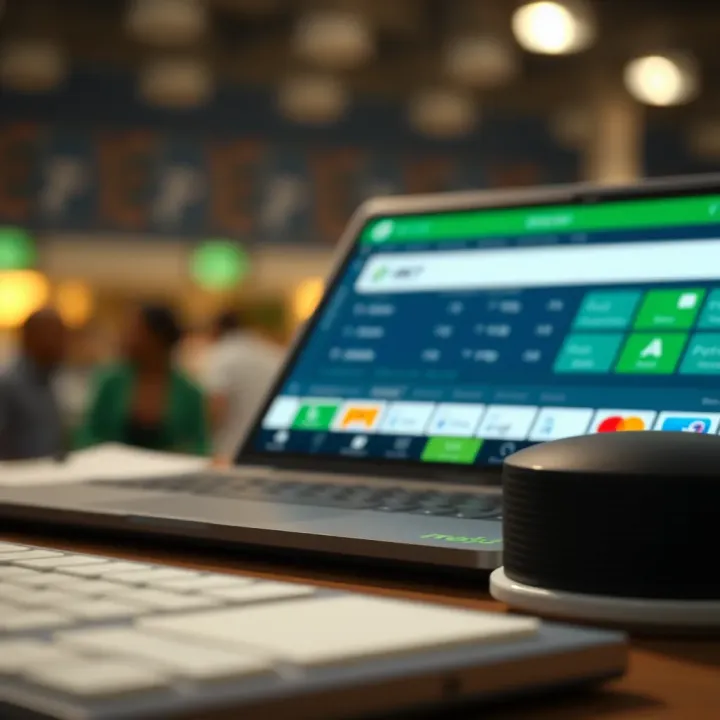
Compare Bet9ja and 22Bet for Nigerian bettors: explore betting markets, payment options including ₦ payouts, user experience, bonuses, and support 🤔💰📱

Explore Bet9ja's cash out feature 💰: how it works, benefits, restrictions, and ways to boost your betting strategy for better control and smarter wins in Nigeria 🇳🇬.
Based on 12 reviews