
How to Register with Bet9ja: Nigerian User Guide
🎯 Ready to bet on sports? Learn how to register with Bet9ja step-by-step, secure your account, fund with local ₦ options, and play responsibly in Nigeria today!
Edited By
Segun Balogun
The Bet9ja app sometimes refuses to open, and this can be quite frustrating, especially when you’re eager to place a bet or check live scores. Several issues may cause this problem, ranging from network interruptions to software glitches on your device.
Network connection problems top the list. If your internet is slow, unstable, or completely off, the app won’t load properly. This can happen even if other apps seem to work – sometimes mobile data networks like MTN or Airtel face local outages or reduced strength, especially in crowded places or during heavy rain.
Another cause is app bugs or outdated versions. The Bet9ja app receives regular updates to fix bugs and improve security. Running an old version may cause failure to open or unexpected crashes. This issue is often linked with device operating system incompatibilities.
Device-related issues also affect app performance. If your smartphone has limited storage, it might not run the Bet9ja app smoothly. Similarly, background apps can consume RAM, causing lag or freezing. Sometimes corrupted cache and data from the app can stop it from launching correctly.
Incorrect installation or corrupted files from interrupted downloads can also block the app from opening. This might happen when the internet cuts off during the download or update process.
Remember, your device’s settings like date and time must be correctly configured. Wrong settings might fail the app’s security checks, preventing it from starting.
Here’s a quick checklist of factors affecting app opening:
Internet connectivity (Wi-Fi or mobile data stability)
App version (current or outdated)
Device storage and RAM availability
Cache and data corruption
Correct installation process
Proper device time and date settings
Understanding these reasons helps you tackle the problem head-on, avoiding unnecessary downtime while betting or checking results. Lagos or Kano, where network issues can vary during daily peak traffic, knowing these factors makes all the difference.
Understanding why the Bet9ja app struggles to open is essential for users eager to place bets without disruptions. Identifying the specific cause helps in applying the right solution quickly, saving time and frustration. Whether it’s a network hitch, app glitch, or device issue, knowing the root allows you to tackle the problem effectively and keep your betting action seamless.
A weak internet connection is a common hurdle that stops many apps, including Bet9ja, from opening properly. For instance, if you are at a remote area with spotty network coverage or your Wi-Fi router is too far from your device, the app might load slowly or fail to start altogether. This is especially frustrating when you are trying to catch live matches or place quick bets.
Sometimes, network settings or firewalls might restrict access to Bet9ja’s servers. For example, if you use a public Wi-Fi hotspot at an internet café or a mall, certain ports or addresses might be blocked for security reasons, preventing the app from connecting. Similarly, your mobile network provider could have temporary restrictions or blacklists affecting app access.
Internet service disruptions from your provider could also impair the Bet9ja app’s ability to open. For example, if your network has ongoing outages or bandwidth throttling during peak hours, the app might fail to communicate with its servers. Sometimes, maintenance work by ISPs may temporarily sever connections, causing apps reliant on real-time data to malfunction.
Running an old version of the Bet9ja app often leads to startup problems because the old code might not sync well with current servers. For instance, Bet9ja frequently updates the app to fix bugs or introduce new features. Using an outdated version might block you from logging in or showing an error on launch.
If your phone or tablet runs an outdated Android or iOS version, it might lack the necessary support for the latest Bet9ja app. For example, older devices stuck on Android 7 or iOS 12 may not meet the app’s minimum requirements, causing failures when opening or crashes during use.
Sometimes, the app doesn’t install fully or the installation files get corrupted due to interrupted downloads or system glitches. This partial installation often results in the Bet9ja app refusing to open or crashing immediately. For example, if the app was interrupted while updating or was sideloaded unofficially, the chance of corruption is higher.
Low storage can stop apps from opening because the device cannot allocate space for temporary files or updates. For instance, if your phone’s storage is nearly full with photos, videos, or other apps, Bet9ja might fail to launch or freeze on startup.
Certain apps can clash with Bet9ja, such as VPNs, antivirus, or security apps that block network access or interfere with normal functions. For example, if you have a VPN active routing your traffic through unrecognised locations, Bet9ja may restrict access or fail to open.
Occasionally, device operating systems develop bugs after updates or from prolonged use, affecting individual apps’ performance. For example, a software glitch on your Android or iPhone might stop Bet9ja from opening until you restart or update your device.
Identifying the exact reason why the Bet9ja app fails to open empowers you to address it specifically — whether it is poor network connection, app compatibility, or device issues. Knowing these common causes keeps you ahead of frustrations and ensures you can enjoy betting without unnecessary interruptions.
Taking a systematic approach to solving why the Bet9ja app may not open helps you avoid wasteful trial and error. These step-by-step solutions target common technical and network issues straight on, offering practical fixes that save time and keep your betting activities uninterrupted. Even if you aren’t a tech expert, following clear instructions like switching networks or reinstalling the app gets results more often than not.
Switching between data and Wi-Fi is a simple but effective way to confirm if the network connection is the root problem. Your mobile data might be weak or congested in busy areas, typical of Lagos or Abuja during peak hours, so toggling from data to a stable Wi-Fi network (or vice versa) can restore app access quickly. This is especially true if your Wi-Fi connection is reliable and fast, such as one from a trusted local ISP.
Restarting the modem or mobile device clears temporary glitches that affect connectivity or app performance. Modems sometimes get stuck trying to assign an IP address; restarting resets this process. Similarly, restarting your phone reloads the operating system and clears memory, which often deletes bugs causing the app not to respond as expected. A fresh start can be surprisingly efficient at fixing everyday digital hiccups.
Checking for service outages in your area is a crucial but often overlooked step. Some ISPs or even Bet9ja’s own servers may suffer outages from time to time. If your friends in the same location report similar issues, a quick check through community social media or ISP service updates can confirm whether the problem lies beyond your device. Knowing when it’s a broader outage prevents unnecessary tinkering.
Downloading the latest app version from official sources addresses compatibility problems caused by outdated software. Bet9ja regularly updates its app to fix bugs and improve performance; failing to update often leads to launch failures or reduced functionality. Always get the update from official platforms like the Play Store or Bet9ja’s official website to avoid dodgy versions that could harm your device or compromise security.
Uninstalling and reinstalling the Bet9ja app solves issues related to corrupt or incomplete installations. Sometimes, apps fail to install properly due to interrupted downloads or storage problems, leading to launch problems. Removing the app entirely and installing it afresh clears out corrupted files and settings, giving you a clean slate which often restores normal operation.
Clearing cache and app data on mobile devices helps when the app misbehaves due to corrupted temporary data. Cached files speed up loading times but stale or damaged cache can block the app from opening. Clearing cache (without deleting personal data like login details) often resolves hiccups. If problems persist, clearing app data resets all settings and can fix deep errors, though you’ll need to log in again.
Granting necessary app permissions is necessary because the Bet9ja app requires access to certain device features to function properly, like storage or network access. If you deny these permissions, parts of the app might fail silently, preventing it from opening or working smoothly. Double-check your phone’s settings to confirm permissions are intact.
Freeing up storage space matters because apps need room to operate. When your device storage is near full—common on phones packed with photos, music, or apps—the Bet9ja app may refuse to open as it cannot store essential temporary files. Deleting unused apps or old media frees space and helps the app run without hiccups.
Restarting the device to clear temporary issues acts as a quick troubleshooting step before deeper fixes. Temporary bugs or memory glitches can lock up app processes. Restarting forces the system to reload all services cleanly, often nipping subtle issues in the bud and restoring app function effortlessly.
To keep your betting sharp and uninterrupted, these step-by-step solutions cover network, software, and device settings—all common culprits that block the Bet9ja app from opening. Trying these fixes will resolve most problems without needing expert help.
Knowing when to reach out to Bet9ja support can save you time and frustration. Some problems go beyond simple fixes like restarting your phone or checking your data connection. In such cases, contacting customer care can help pinpoint the root issue and get you back on track faster. Getting help directly from Bet9ja also ensures you're dealing with authorised personnel and secure processes.
If you’ve tried updating the app, resetting your password, and checking your internet, but still cannot log in, this hints at deeper account problems. Perhaps your account was temporarily locked due to multiple failed attempts or flagged for security reasons. Lockouts could also occur if you’ve attempted to access your Bet9ja account from unfamiliar devices or locations, triggering security checks. In these cases, Bet9ja support can confirm your account status and help unlock or verify it.
When the Bet9ja app crashes repeatedly while you're placing bets or navigating menus, it could signal server-side issues or bugs that require official intervention. Sometimes, an update may introduce glitches that are not easily fixed on user end. Such persistent crashes waste your time and risk losing potential winnings. Reporting these crashes to support helps them identify widespread issues and push urgent fixes.
Seeing odd error messages or numeric codes when using the Bet9ja app often means problems beyond your device or connection. For example, errors indicating “account verification required” or “transaction failed” might reflect missing documentation or payment issues. Other codes might point to temporary suspensions or regional restrictions. You won’t generally find simple explanations for such codes, so consulting Bet9ja support for clear guidance is your practical option.
Bet9ja offers several ways to reach customer care within Nigeria, including phone lines, email, and live chat directly on their website or app. Using official channels ensures your queries go to authentic personnel, reducing risks of scams impersonal responses. For urgent concerns, phone support tends to be fastest, while live chat provides background assistance during betting.
When contacting support, prepare details like your username, registered phone number, device type, and a clear description of the issue. If the problem involves transactions, include dates and amounts. Precise information helps support verify your identity and troubleshoot efficiently without back-and-forth delays. Screenshots of error messages or app behaviour can also speed things up.
If your problem isn't resolved quickly, stay polite but firm in following up regularly. Keep a record of ticket or complaint numbers given by support to reference later. For serious cases—such as suspected fraud or large fund discrepancies—ask for escalation to higher support levels or Bet9ja management. Persistence matters, especially during busy sports events when support may be overwhelmed.
Contacting Bet9ja support promptly, equipped with clear information, often means less downtime and smoother betting experience. Don’t hesitate to reach out whenever simple fixes don’t work.
🎯 Ready to bet on sports? Learn how to register with Bet9ja step-by-step, secure your account, fund with local ₦ options, and play responsibly in Nigeria today!
Compare Bet9ja and 22Bet for Nigerian bettors: explore betting markets, payment options including ₦ payouts, user experience, bonuses, and support 🤔💰📱
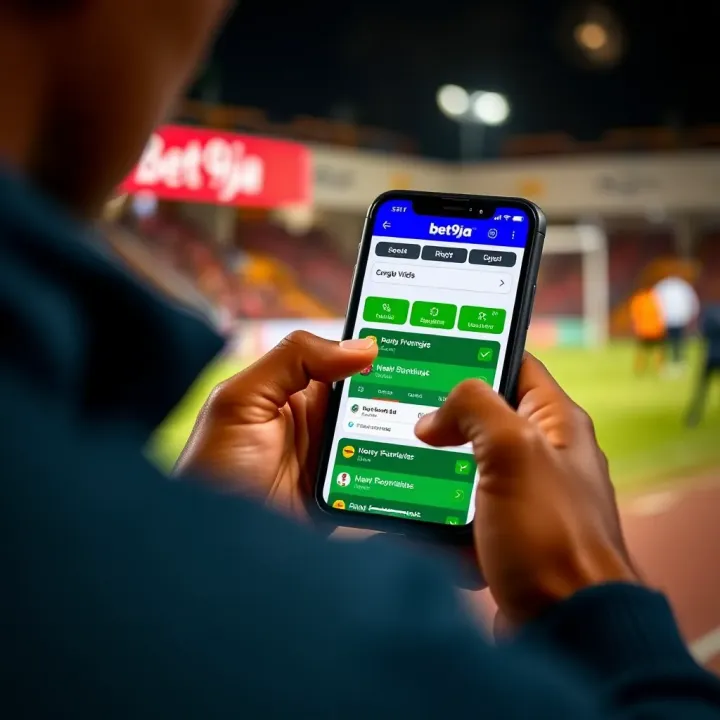
🎲 Discover Bet9ja in Lagos: find physical outlets, online services, secure payment options, plus tips to bet responsibly while navigating local rules and market trends.

🎲 Compare Bet9ja and 1win for Nigerian bettors: licensing, payment methods, promos, and more to help you pick your best platform for winning ₦! 🇳🇬
Based on 11 reviews